
 Official WhatsApp API
Win More Clients and Keep Them Informed on WhatsApp
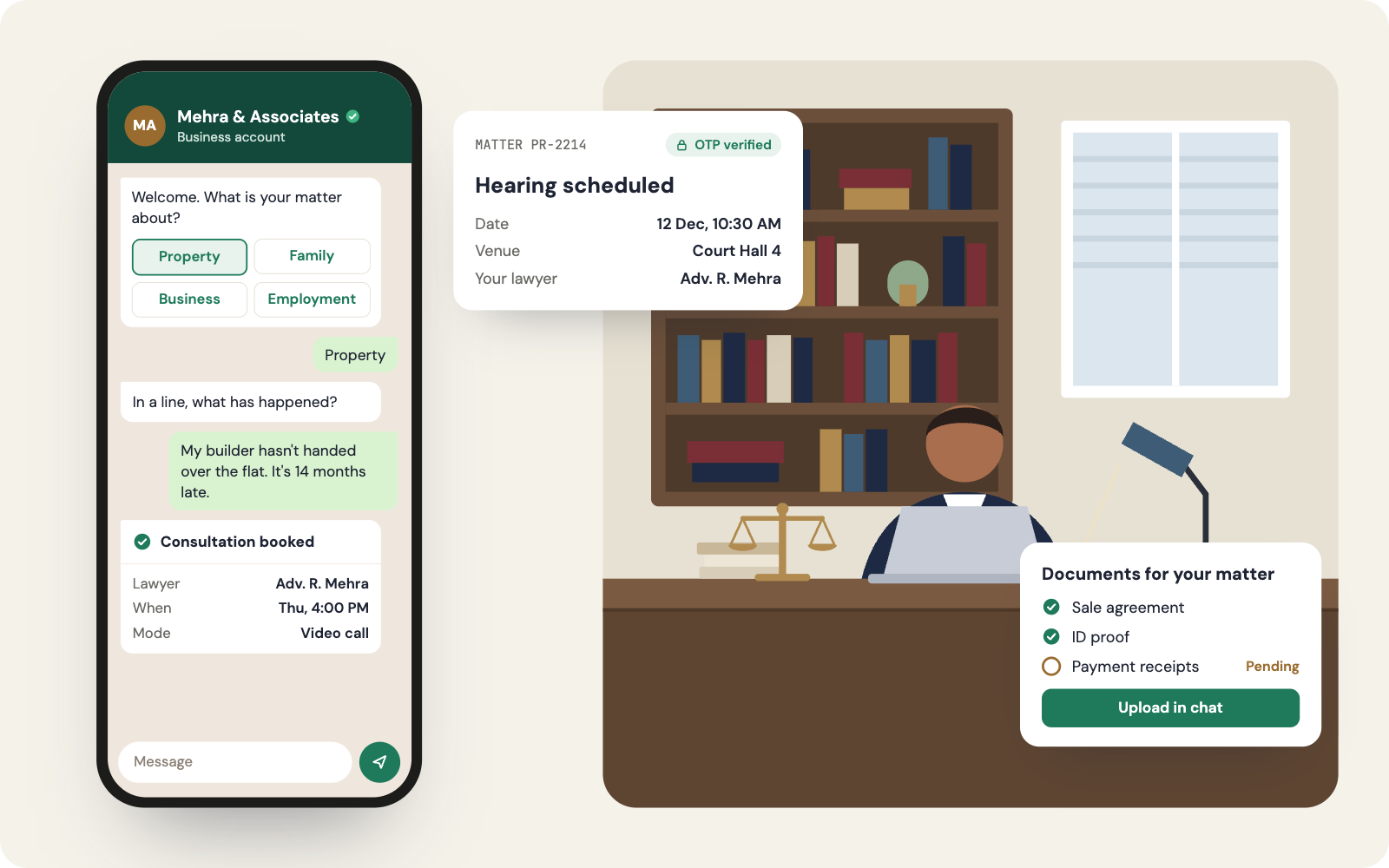
Clients message their lawyer on WhatsApp whether the firm likes it or not, often on personal phones the firm can't see. Chakra Chat brings those conversations onto a firm-owned number with access controls, structured intake, and automatic matter updates, so nothing important lives on one person's device.
 No Credit Card Required
Built for scale. Proven across industries. Trusted by thousands.
Businesses love growing on WhatsApp with Chakra Chat
See why teams trust Chakra Chat for WhatsApp API, campaigns and support, in their own words.
- Rated on
4.8/ 5
Read reviews on G2 → - Rated on

4.3/ 5
Read reviews on Trustpilot →
A Client Channel Your Firm Controls
Control comes first, then client experience. Here's how practices set it up.
Client Confidences Stay with the Firm
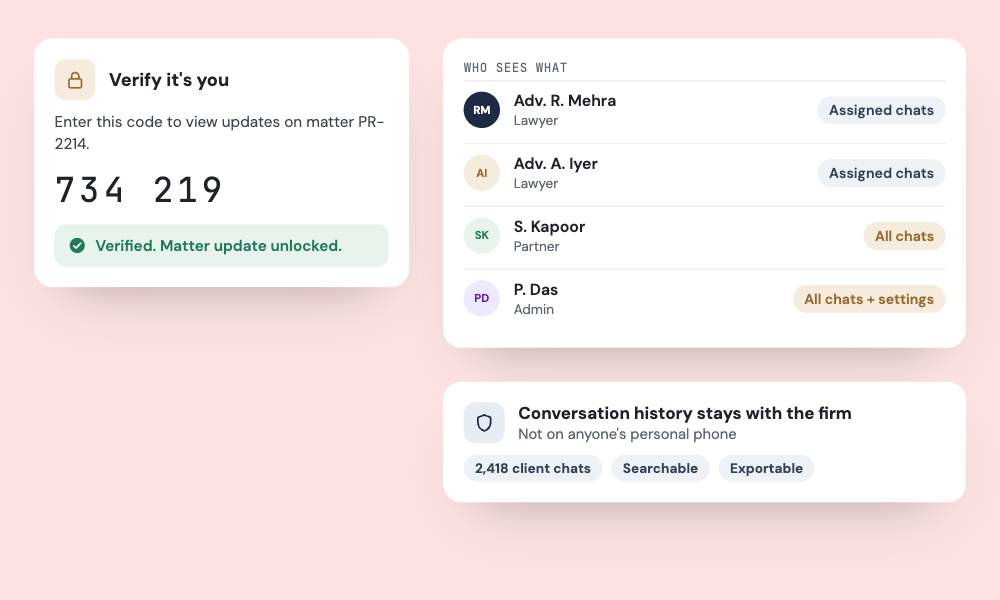
- Firm-Owned Conversations - Client conversations live on the firm's number and inbox, not on an associate's personal phone.
- Role-Based Access - Lawyers see only their assigned matters, while partners keep oversight.
- OTP Before Sensitive Updates - Verify the client with an authentication OTP before sharing matter details.
Hearing Dates Clients Never Miss
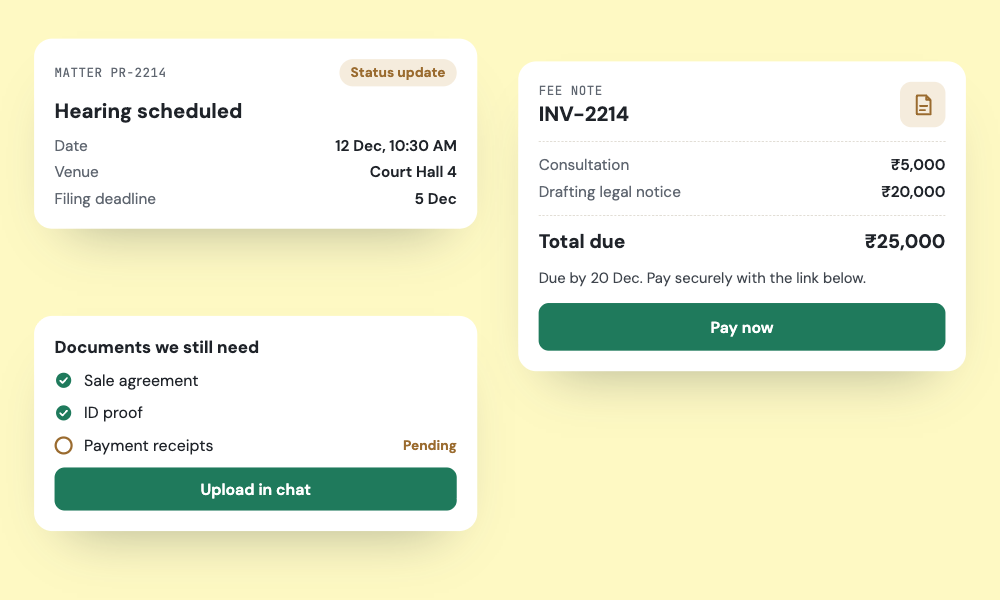
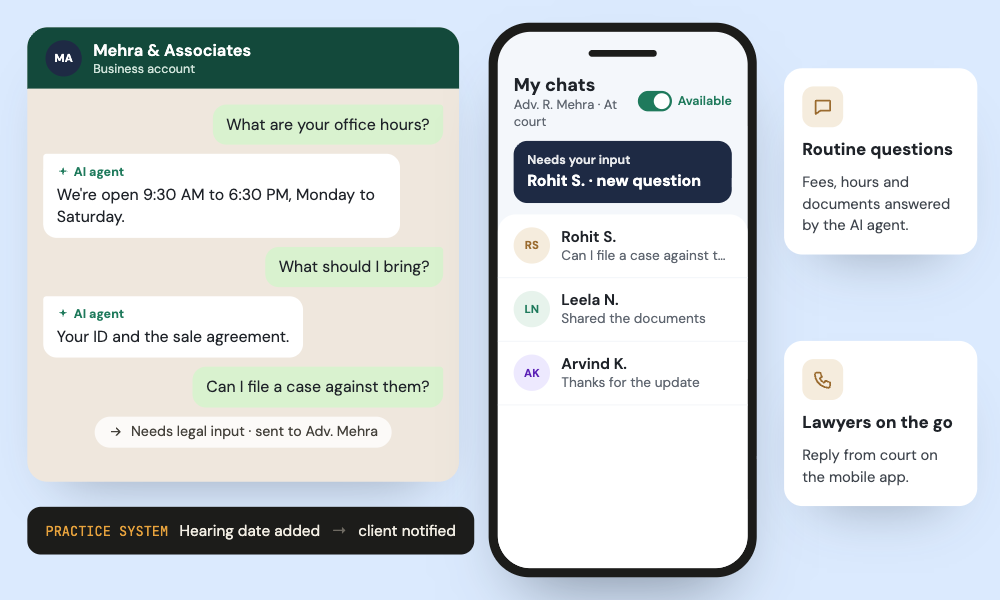
- Updates from Your Practice System - Hearing dates, filing deadlines, and status changes trigger messages from your practice management system through webhooks.
- Document Chasers - Clients receive a clear checklist and reminders for outstanding documents.
- Billing Reminders - Fee notes and payment reminders arrive with a payment link.
Intake That Screens Before You Spend Time
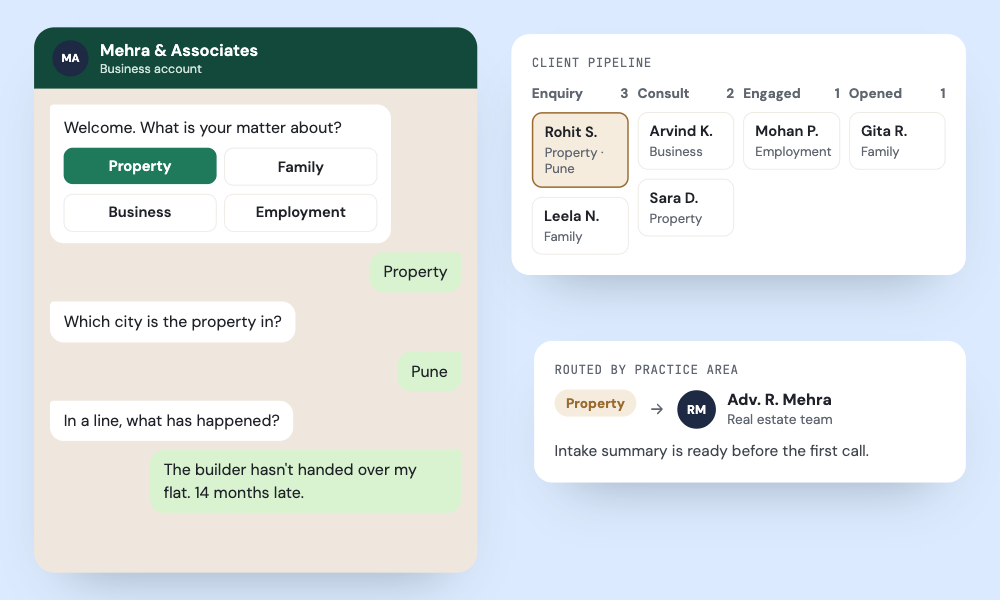
- Structured Intake - A chatbot captures practice area, location, and a matter summary before anyone replies.
- Practice-Area Routing - Enquiries are routed by practice area to the right lawyer or team.
- Source Attribution - See whether each enquiry came from Google, a referral page, or a Click-to-WhatsApp ad.
Consultations Booked, Paid, and Remembered
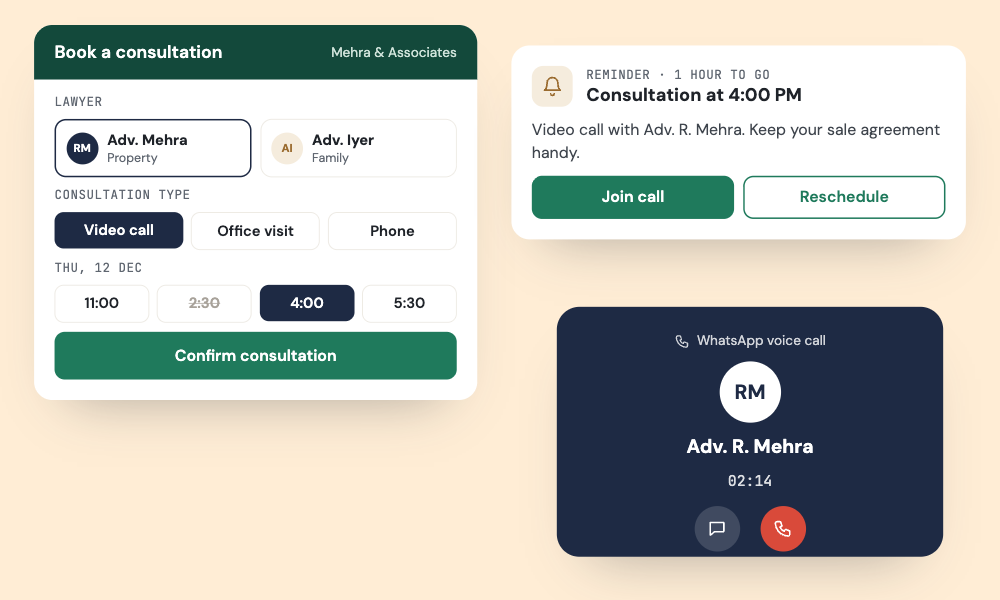
- Self-Serve Booking - Clients pick a lawyer, consultation type, and slot in a guided flow.
- Upfront Consultation Fees - Collect consultation fees in advance with a payment link.
- Automatic Reminders - Reminders before each consultation reduce missed meetings.
After-Hours Answers, Within Bounds
- AI Agent on Firm Information - An AI agent answers general questions on services, fees, and office hours from your website and FAQs.
- Hand-Off Rules You Set - Strict confidence thresholds and exit rules hand anything legal to a lawyer.
- Mobile App for Lawyers - Lawyers answer assigned chats from the mobile app, even from court.
What Practices Gain
Firm-Owned Records
Client chats stay on firm systems with role-based access.
Fewer "Any Update?" Calls
Automatic updates cut status-check calls.
Better-Prepared Consultations
Intake details are ready before the first meeting.
Fewer No-Show Consultations
Upfront fees and reminders reduce wasted slots.
Matters Move Faster
Document chasers keep files moving.
Lawyers Focused on Law
AI handles general questions within limits you set.
Trusted by 1000+ businesses






Built for scale. Proven across industries. Trusted by thousands.
Trusted by businesses across 65+ countries — from startup founders to enterprise teams — Chakra Chat is the platform behind every WhatsApp-first customer engagement strategy.
- 3000+
- Customers
- 85+
- Countries
- 300Mn+
- Messages Sent
- 3Mn+
- Chatbot Sessions
- 2Mn+
- AI Responses
Every session, every reply, every automated flow — quietly working in the background, so your business never misses a moment that matters.
Few words of ❤️ from our customers
Get Started With WhatsApp API in few Steps
No technical setup, no long onboarding. Be live on WhatsApp API and sending messages in under 15 minutes.
Chakra Chat Sign Up
Create a Chakra Chat Account
Connect WABA Number
Embedded Signup to connect WABA & Number
Chakra Chat Subscription
Subscribe to Chakra Subscription plan
Start Engaging Customers
Start conversations, template message broadcasts
Set up Advanced Features
Setup Auto reply bot, AI agents, WhatsApp Calling
Setup Metrics & Reports
Track Campaign Delivery, Chat Response Time