
 Official WhatsApp API
Design Smarter Chatbots That Engage, Support, and Convert
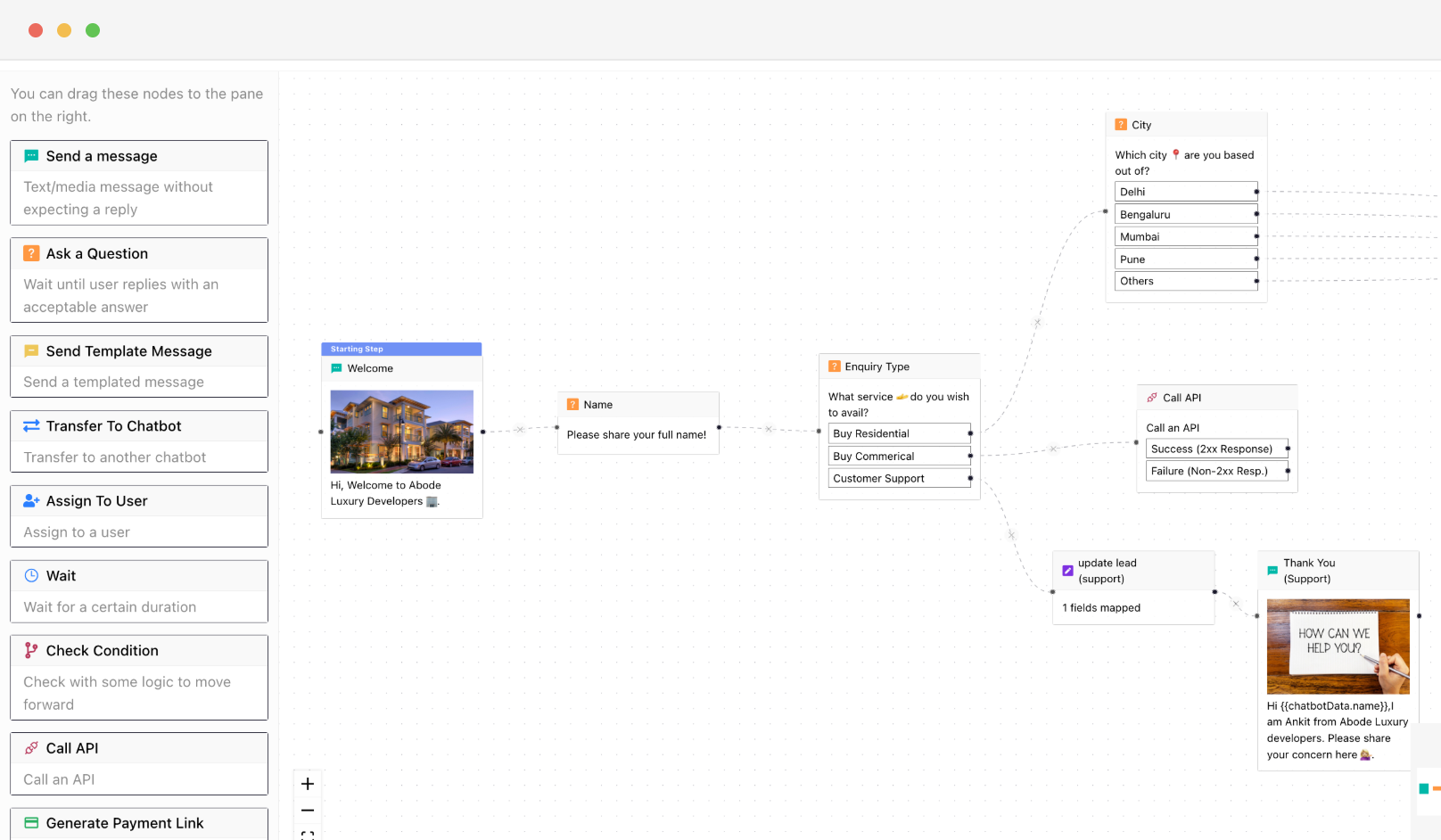
Build smarter WhatsApp chatbots, faster. A visual builder, rich node library, AI capabilities, and full session controls. Everything in one place to automate conversations that actually get results.
 No Credit Card Required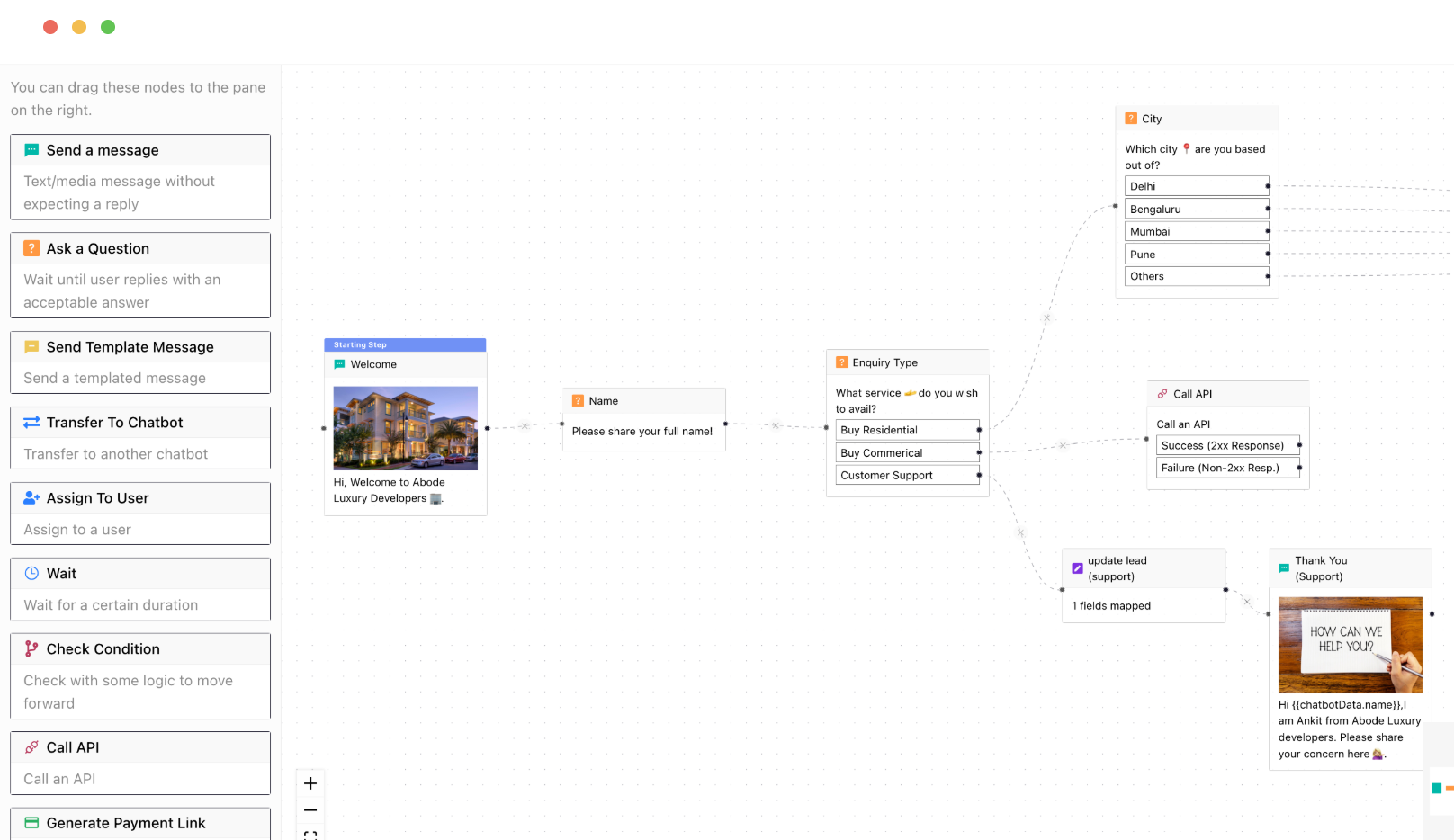
Trusted by 1000+ businesses


Build Powerful WhatsApp Chatbots Without Writing Any Code
From blank canvas to live chatbot in minutes - all drag-and-drop, zero code required
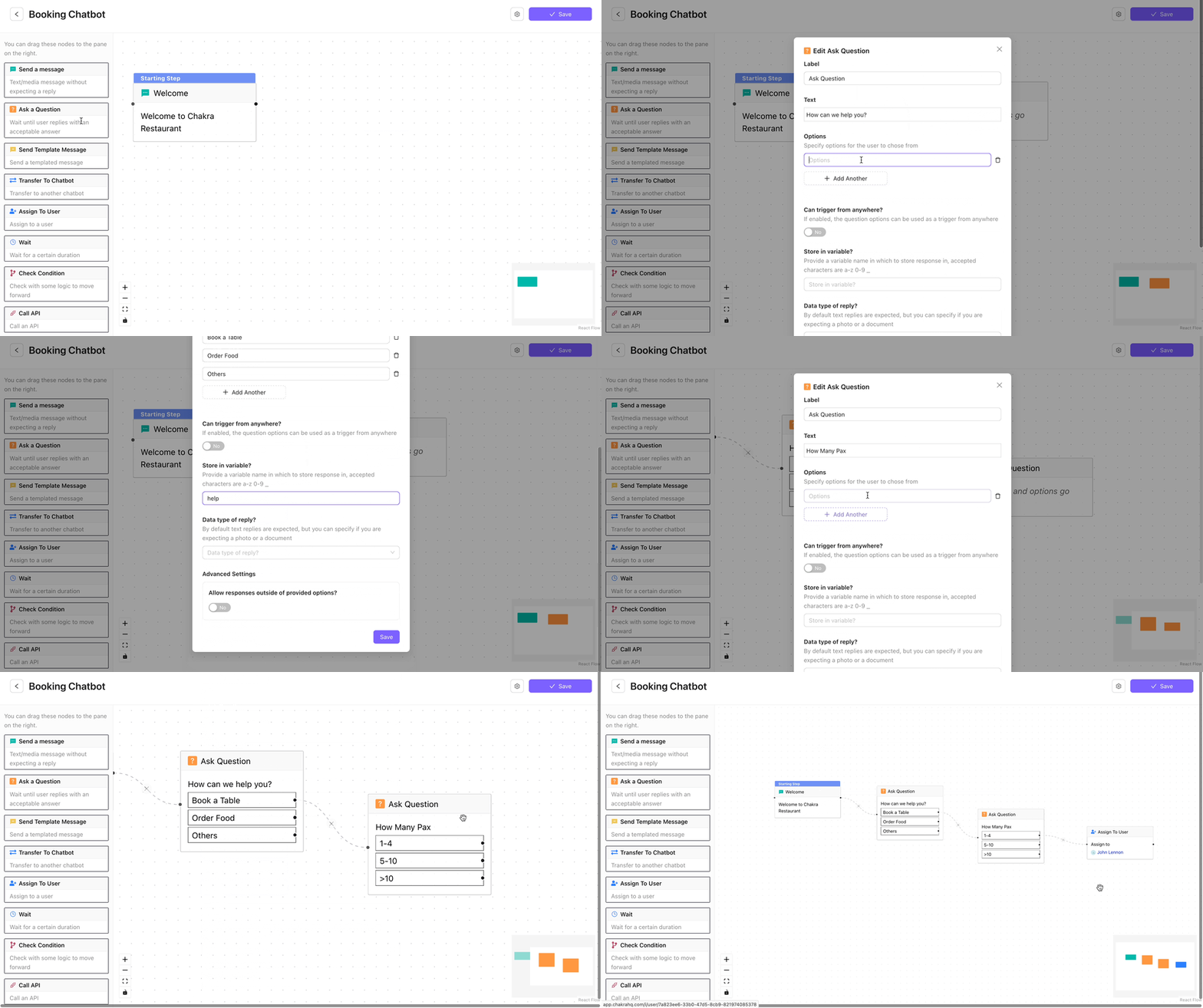
Automate Conversations with Chatbots
Build smarter WhatsApp chatbots, faster. A visual builder, rich node library, AI capabilities, and full session controls - everything in one place to automate conversations that actually get results.
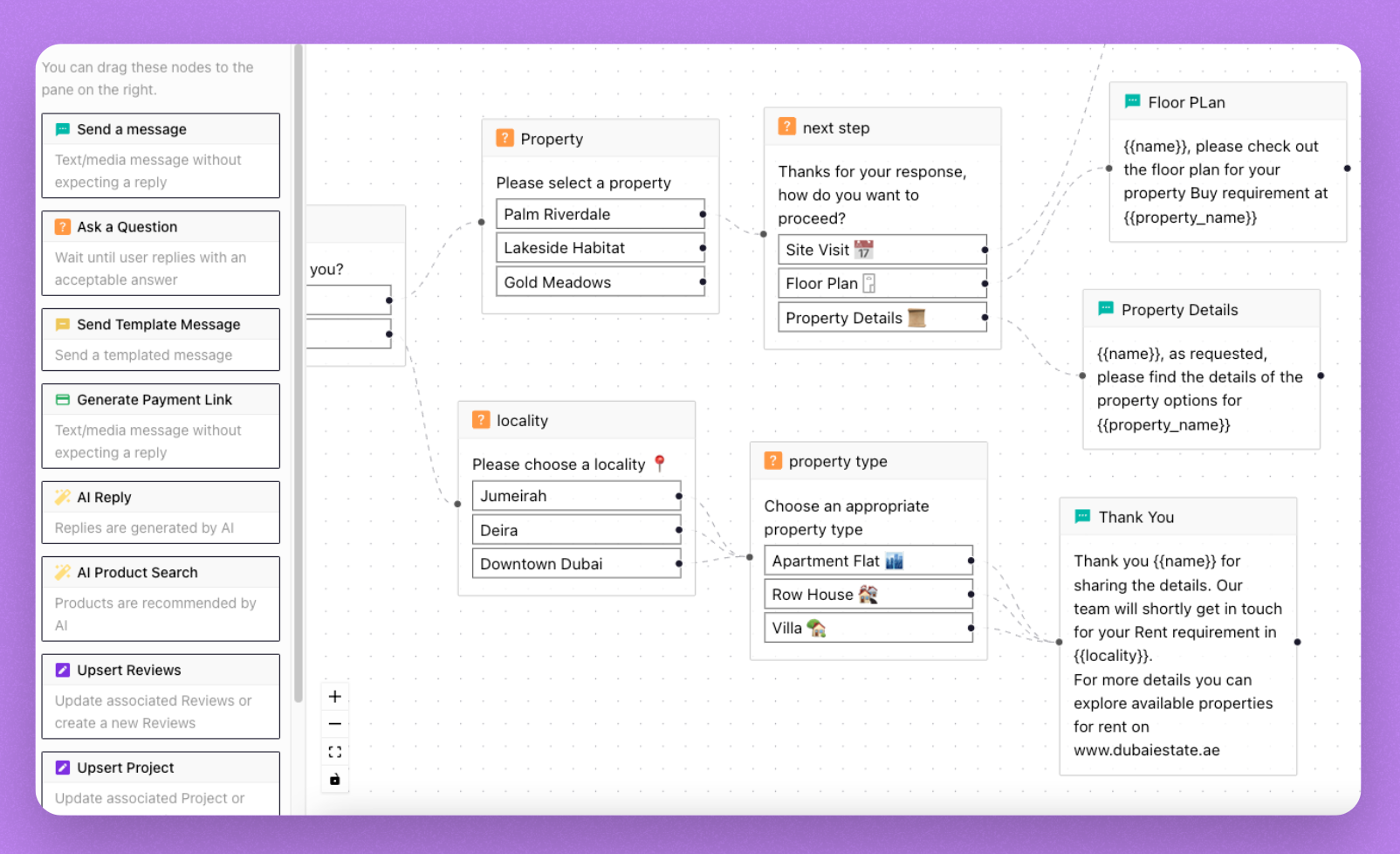
No-Code Chatbot Builder
- Drag-and-drop interface - Lets you design chatbot flows visually
- Flexible Node Types - Dynamic conversation nodes built for WhatsApp: buttons, rich media, and timed responses.
- Build complete transaction flows - Send payment links, catalog options, and end-to-end order actions.
- Chatbot Preview - Test your flows before going live with a built-in preview mode that simulates real WhatsApp interactions.
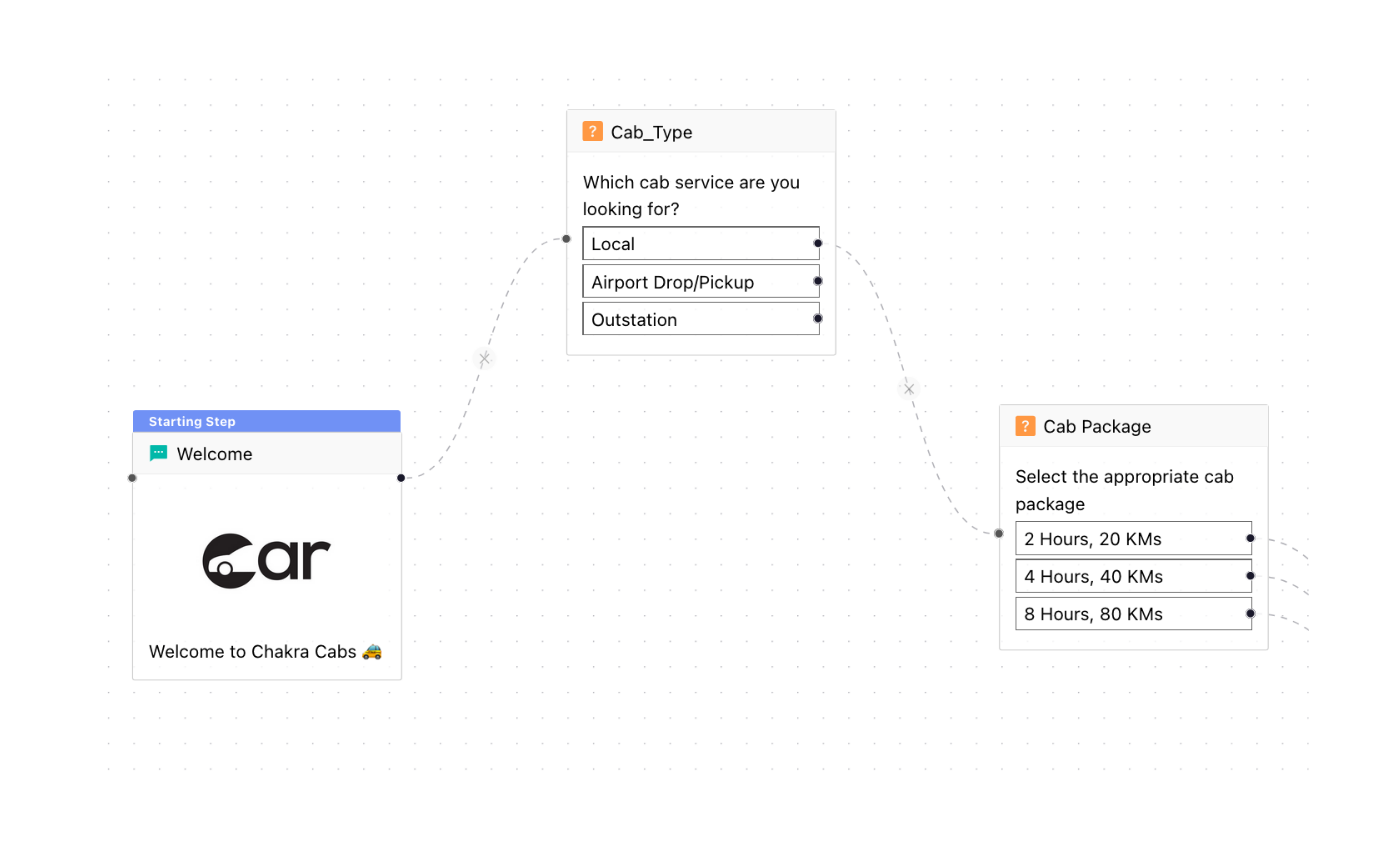
Template Library & Quick Start
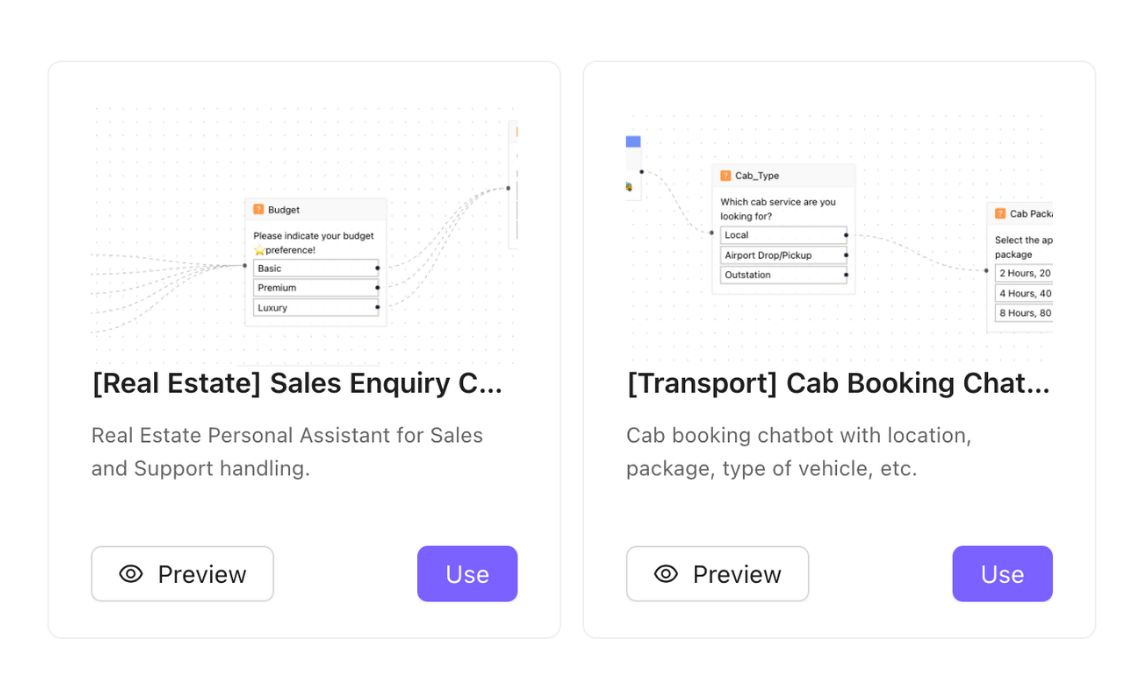
- Pre-built Chatbot templates - Ready template for common scenarios like lead qualification, customer support, and e-commerce.
- Rich Chatbot Library - Jumpstart new bots using a growing library of ready-made chatbot templates built for common business use cases.
- Quick Chatbot Creation - Duplicate, customize, and publish templates in minutes - no rebuilding from scratch.
Powerful Chatbot Node Library
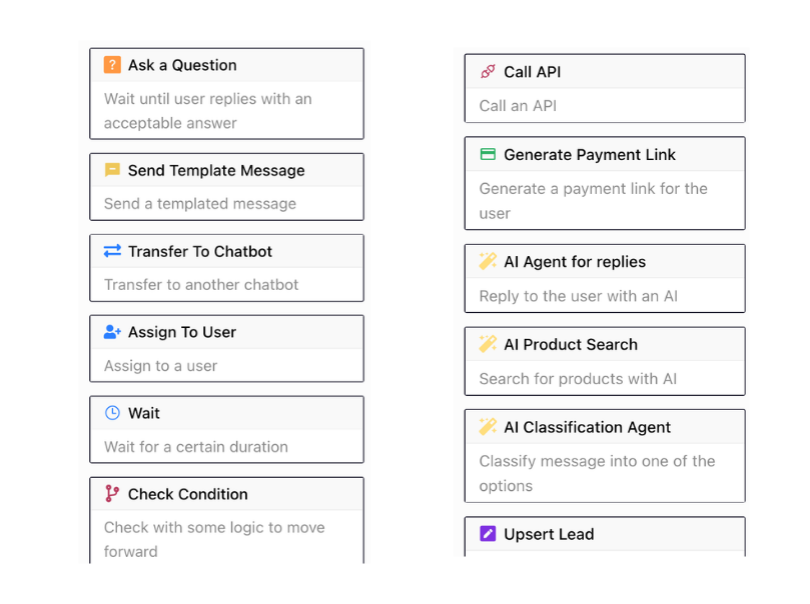
- Messaging Nodes - Send plain messages, rich media, or WhatsApp template messages to engage users at every stage of the journey.
- AI-Powered Nodes - Deploy AI Agent Reply nodes for intelligent freeform responses, AI Product Search for catalog discovery, and AI Classification to auto-route conversations based on intent.
- Action & Integration Nodes - Call external APIs, upsert lead records, assign conversations to team members, or transfer users to another chatbot - all without leaving the builder.
- Flow Control Nodes - Use Wait nodes to pause for user input, Generate Payment Link nodes to close transactions inline, and Transfer nodes to hand off seamlessly between bots or agents.
Triggers, Routing & Session Controls
- Multi-Condition Triggers - Launch chatbots based on inbound keywords, campaign sources, user attributes, or custom events.
- Chatbot-to-Chatbot Routing - Chain multiple bots together and transfer users mid-conversation based on responses or conditions.
- Keyword Controls - Define custom start, stop, and restart keywords so users always stay in control of the conversation.
- Expiry & Session Settings - Set session expiry windows and auto-close inactive conversations to keep your inbox clean and flows healthy.
Stop Answering the Same Questions Every Day
Always-On Engagement
Respond to every customer instantly, 24/7 - no wait times, no missed conversations, no offline hours.
Automate Repetitive Tasks
Qualify leads, answer FAQs, and process orders automatically - freeing your team for conversations
Scale Without Hiring
Handle hundreds of simultaneous conversations without adding agents - grow your customer engagement without growing costs
Few words of ❤️ from our customers
WhatsApp: The most engaging communication channel
Reach your customers & leads on their most used messaging platform
- 2.7 Bn
- WhatsApp Users
- 100%
- Message Delivery
- 98%
- Message Reads
- 50%
- Button Clicks
- 30%
- Reply Rate
Send rich and engaging message formats on WhatsApp - photos, rich text, videos, documents, forms, e-commerce products & a lot more. Try them out below!

Hi! The Nicobar sale is live! Shop clothing, jewellery, homeware and gifts at up to 50% off and more.

Dear Indigo Customer, Start your solo trip with our specially curated menu, made just for you 🍽️ 1. Indigo Classics - Starting at 400 2. 6E choice of the day - Starting at 400 3. #IndiabyIndigo - Staring at 400

To celebrate this historic victory Pizza Hut is giving a FREE Margherita Pizza with every order! Enjoy the celebrations with the 🏆World Cup Trophy, 🍕Pizzas, 🤤Melts, and more! Use code FREEPIZZA at the checkout.
Get Started With WhatsApp API in 3 Steps
No technical setup, no long onboarding. Be live on WhatsApp API and sending messages in under 5 minutes.
Connect WhatsApp Number
Embedded Signup with WABA & Phone Number
Create Whatsapp Template
Create new whatsapp message templates
Send Broadcast Messages
Broadcast messages to your contacts
Frequently Asked Questions
How do I get a whatsapp business API account?
Chakra is an Official Meta Business Partner, which means you can apply for a WhatsApp Business API account directly through us - quickly and in just a few simple steps.
How do I set up and start using Chakra Whatsapp?
Getting started is straightforward. Follow our step-by-step onboarding guide at help.chakrahq.com/chat/getting-started, which walks you through connecting your WhatsApp account, setting up chatbots, and configuring your shared inbox. Our support team is also available to help at any stage.
Does Chakra support the WhatsApp Coexistence feature?
Yes. Chakra supports Coexistence, allowing you to register an existing WhatsApp Business phone number directly on the WhatsApp Business Platform - so you can use both the app and API side by side.
Can I customize the chatbots for my business needs?
Yes. You can fully tailor chatbots to handle queries specific to your business - including automated responses, FAQs, and interactive conversation flows, so your customers get instant, relevant support around the clock.
How does broadcast messaging work?
Send marketing messages, transactional updates, and authentication OTPs to thousands at once. Manage the full broadcast workflow in one place - from template creation and Meta approval, to audience segmentation, personalisation, and scheduling.
Does Chakra charge any markup on template message fees?
No. Chakra applies zero markup on template messages. You pay only the prevailing WhatsApp Meta messaging rates for successfully delivered messages - nothing more.
Can I connect multiple numbers in Chakra Chat?
Yes. Chakra's plans support multiple numbers: Starter (2 numbers), Growth (5 numbers), and Advanced (12 numbers). Need more? Additional numbers beyond 12 are available at $2.99/number.
Is Chakra Chat secure for handling customer data?
Yes. Chakra includes verification OTPs and secure data handling practices to keep your customer information protected and all transactions safe.
Can I track the performance of my campaigns and interactions?
Yes. Chakra's built-in analytics give you detailed insights into campaign performance, customer interactions, and engagement metrics - helping you make data-driven decisions and continuously improve your strategy.
How does abandoned cart recovery work?
Chakra lets you automatically send personalized reminders to customers who left items in their cart without completing a purchase. These timely nudges help recover lost sales and improve your overall conversion rate.
Can I integrate the tool with other platforms and systems?
Yes. Chakra integrates with a wide range of CRM systems, e-commerce platforms, and business tools - ensuring smooth data flow across your stack and streamlining day-to-day operations.
What customer support does Chakra offer?
We provide comprehensive support including tickets, chat and a knowledge base with detailed guides and tutorials. Our team is always on hand to help you resolve issues and get the most out of the platform.
How does the shared inbox feature work?
The shared inbox gives your entire team a single, unified space to view, respond to, and assign customer chats. This ensures no message gets missed, queries are handled promptly, and team collaboration stays seamless.
Can I use Chakra's API to send WhatsApp messages from my own application?
Yes. Chakra provides robust REST APIs and webhooks that let you send template and session messages, create and manage templates programmatically, and track all incoming events in real time.
Does Chakra have a partner program?
Yes. Chakra offers an API Integration Partner Program designed for SaaS providers and technology partners. It enables you to onboard and manage clients, and embed WhatsApp Business Platform capabilities directly into your own applications.
Is Chakra Chat Available in My Country?
Yes. Chakra is available globally, with over 2,000 businesses across 65+ countries already on the platform. Sign up from anywhere and set up your WhatsApp Business API account in minutes.