Account SetupOther Setup Settings
Re-Connect Number
Guide to re-connect a number again in Chakra Chat
Re-connect a WhatsApp API Number
If you are facing issue of WhatsApp API number disconnected in Chakra, try re-connectinf using the instructions below:
Go to WhatsApp Setup
- Go to 👉 WhatsApp Setup
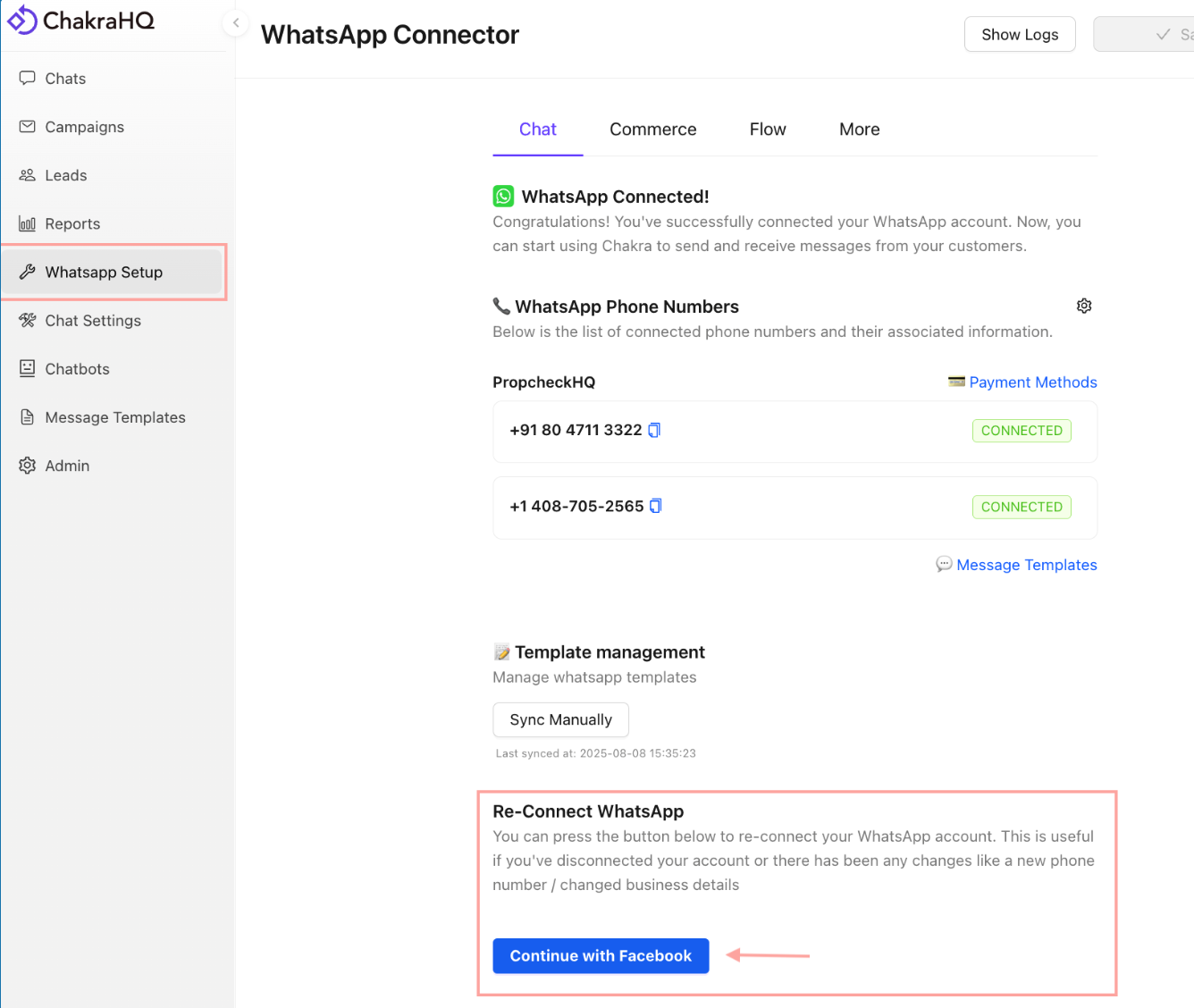
- Click on Continue with Facebook
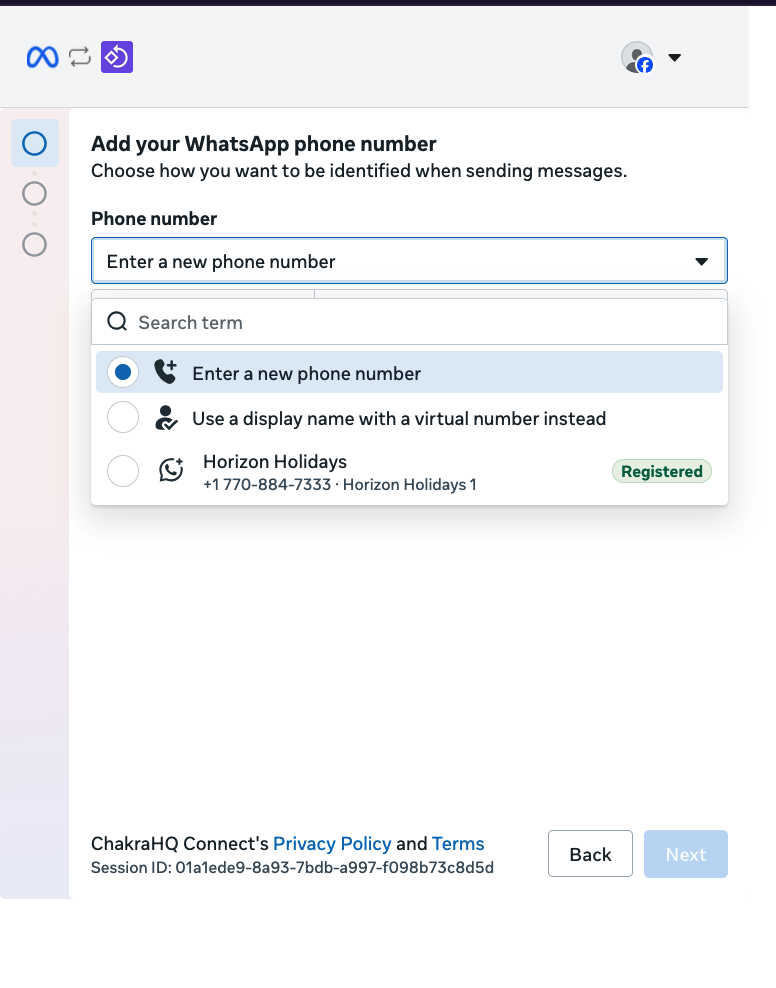
- At the Add your WhatsApp Phone Number step, click on the Phone Number field
- From the existing number in the dropdown, choose the number (if NOT INELIGIBLE)
- Continue with the setup flow in the same manner
- For Cloud API Number follow this Cloud API setup guide
- For Existence Number, follow this CoEx setup guide