

Chat Automation Trigger
How to Add Chatbot Triggers
Go to Chat Automation
Choose an appropriate Chat Automation Rule. Configure automation for default chat scenarios.
- When a new chat session is opened during off-business hours:
> This automation will be triggered when a customer messages your business number
> during off-business hours (as configured in Business Hour Settings)
> & a new chat session is opened. - When a new chat session is opened:
> This automation will be triggered when a customer messages your business number and a new chat session is opened.
> If the off-business hours configuration (1) is also added, then this automation will be triggered only during business hours. - When customer sends a message during off-business hours and no keyword based chat trigger is invoked:
> Triggered during Off-Business hours only
> NO Keyword-based trigger invoked for the chatbot
> This automation is useful to setup an automated chatbot like a ticket booking bot. - When customer sends a message and no keyword based chat trigger is invoked:
> Triggered during business hours
> NO Keyword-based trigger is invoked
> This automation is useful to setup an automated chatbot like a ticket booking bot. > If the off-business hours automation (3) is also configured, then this automation will be triggered only during business hours.
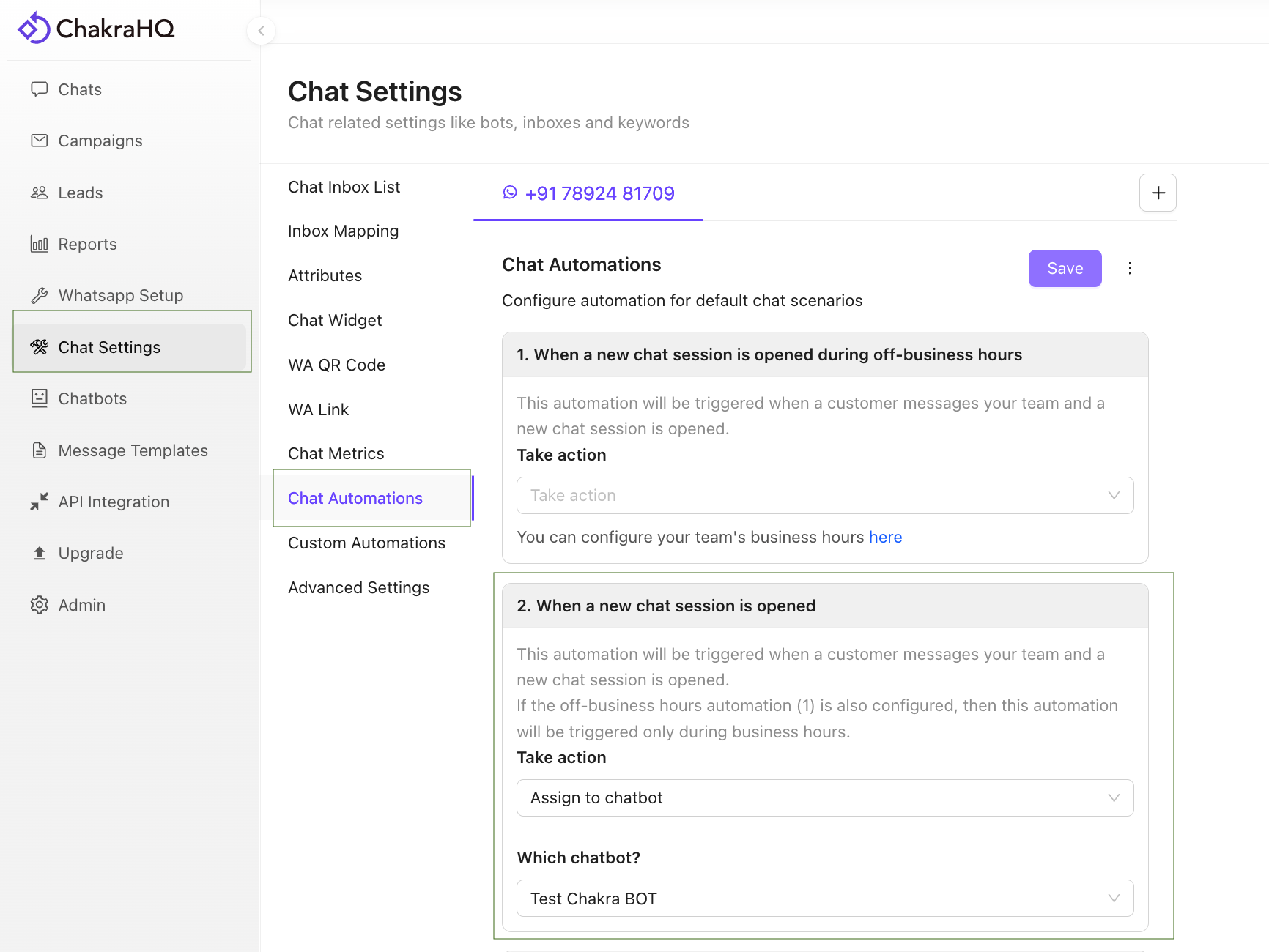
- Click on
Take Actionand choose Assign to Chatbot - Choose the desired chatbot to assign