
By Amy Baker
Published on Mar 11, 2026
Best WhatsApp Business Tools 2026: Top 10 Compared (Features & Pricing)
Compare 10 WhatsApp Business tools in 2026: automation, chatbots, shared inbox & pricing. From free to enterprise — pick the right fit.
A Comprehensive Guide to Choosing the Right Solution for Your Business whether you're a small startup or a growing enterprise: Selecting the right WhatsApp Business API tools can make all the difference. These solutions enable features like bulk messaging, chatbots, shared inboxes, and integrations with CRMs, helping you boost customer satisfaction and ROI. In this detailed guide, we'll cover the benefits of using these tools, key factors to consider when choosing one, and in-depth reviews of the top 10 options - including our anchor recommendation, Chakra Chat.
Why Use WhatsApp Business Tools?
Key Benefits for Prospective Users: Before diving into the top picks, let's explore why WhatsApp tools for business are essential in 2026:
- Enhanced Customer Engagement: Send personalized messages, notifications, and promotions directly to users' preferred channel, achieving open rates up to 98%.
- Meta [WhatsApp] Restrictions: WhatsApp is penalizing bulk messaging behavior on it’s WhatsApp Business and personal messenger apps. This while recommending the users to opt for official WhatsApp tools like the WhatsApp business API for such use cases
- Automation and Efficiency: Automate responses, broadcasts, and workflows to handle inquiries 24/7, reducing response times and operational costs.
- Scalability: Manage high-volume messaging without multiple devices, ideal for e-commerce, customer support, and marketing teams.
- Integration Capabilities: Connect with CRMs, e-commerce platforms (e.g., Shopify), and analytics tools for seamless data flow.
- Compliance and Analytics: Ensure GDPR and Meta compliance while tracking metrics like delivery rates, conversions, and engagement.
💡Using these tools can increase conversions by up to 3x and improve customer retention, making them a must-have for any business aiming to thrive in a mobile-first world.
How to Choose the Best WhatsApp Business Tool
Step-by-Step Guide: Not all WhatsApp Business API tools are created equal. Here's a framework to help prospective users evaluate options:
- Assess Your Needs: Do you need basic automation for a small team or advanced AI for enterprise-scale operations? Prioritize features like chatbots, bulk broadcasts, or multi-agent inboxes.
- Check Pricing and Scalability: Look for flexible plans - free trials, pay-as-you-go, or tiered pricing. Consider conversation-based fees from Meta (e.g., $0.01–$0.15 per message).
- Evaluate Integrations: Ensure compatibility with your existing stack (e.g., HubSpot, Zoho, or Google Sheets).
- Review User Experience: Opt for intuitive interfaces with no-code builders to minimize training time.
- Prioritize Security and Compliance: Choose official Meta partners for reliable uptime and data protection.
- Analyze Support and Reviews: Read user feedback on platforms like G2 or Capterra for real-world insights.
By following this, you'll find a tool that aligns with your budget and goals, whether it's for marketing, sales, or support.
Top 10 Best WhatsApp Business Tools in 2026
Here are the best WhatsApp tools for businesses based on our research. We've focused on a mix of features, pricing, pros, and cons to help you decide.
1. Chakra Chat
Chakra Chat, from ChakraHQ, is a robust WhatsApp Business API tool designed for seamless customer engagement. It excels in bulk broadcasting, chatbot building, and shared inboxes, making it ideal for mid-sized teams transitioning from basic WhatsApp apps.
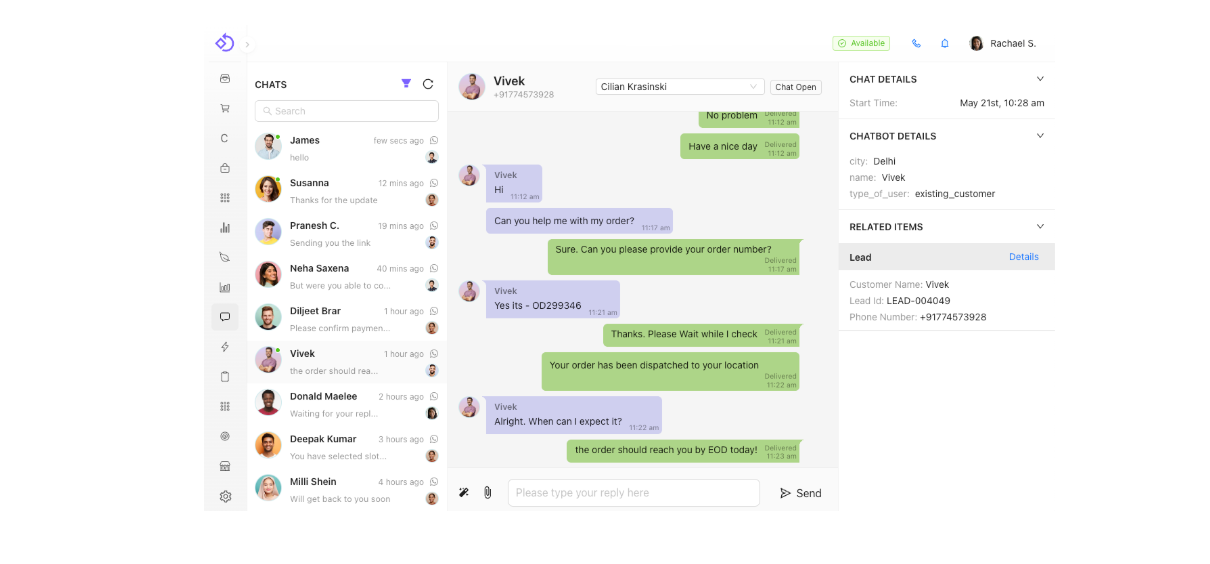
- Key Product Features: Bulk & Broadcast messaging, no-code chatbot builder, Native CRM capabilities and Basic lead management, workflows and other automations, AI-agent and Chatbots replies, Shared Chat Inbox, Mobile App, payment integrations, product catalogs, analytics dashboard, and Coexistence with dual WhatsApp Business App (use your existing number for API).
- Pricing: Starts at $0 (free tier) for limited inbound messaging, Starter Plan - $12.49 per month, Growth plan - $24.99 and Advanced Plan - $49.99/month; includes free trial for 7 Days.
- Pros:
Easy setup with guided onboarding
All-inclusive team pricing
No Mark-up on Template Messages Charges
Native CRM option
Mobile App
Multiple Number Support
WhatsApp Coexistence
- Cons: May require initial configuration for complex integrations. The pricing for template message charges are paid separately and directly billed by Meta with no markup charges.
- Best For: Businesses seeking an affordable, scalable WhatsApp tool for marketing and Native CRM and Workflow Automation Needs.
2. Wati
Wati is a popular WhatsApp automation tool focused on customer support and simple API access, trusted by SMBs for its ease of use.
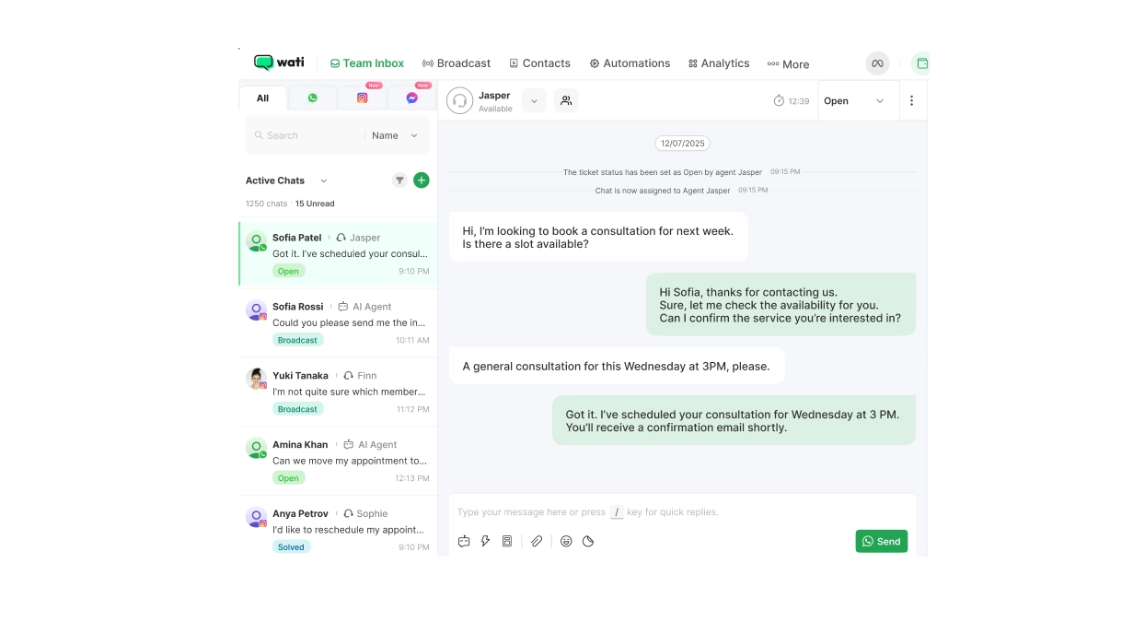
- Key Features: Shared inbox, automated replies, broadcasts, team collaboration, CRM integrations (e.g., HubSpot), and no-code workflows.
- Pricing: From $49/month; free trial available.
- Pros: User-friendly for beginners, strong support focus, reliable for high-volume inquiries.
- Cons: Limited advanced AI features compared to enterprise tools.
- Best For: Small to midsize businesses needing quick automation for support teams.
3. AiSensy
AiSensy specializes in marketing automation, helping D2C brands with catalogs and campaigns on WhatsApp.
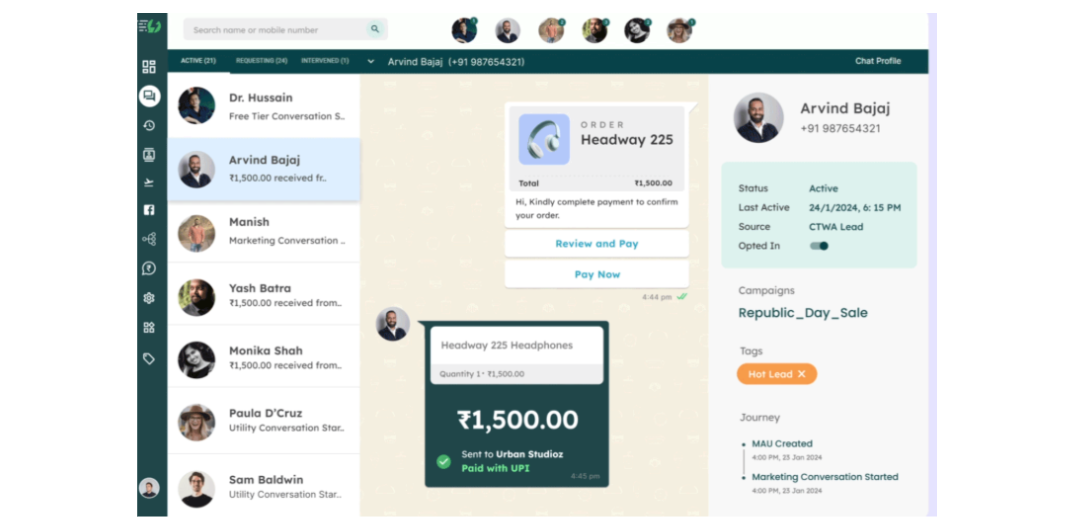
- Key Features: User-friendly API, automated greetings, product catalogs, broadcast scheduling, and customer journey tracking.
- Pricing: Free version available; paid plans from $20/month.
- Pros: Simple interface, great for single-channel strategies, monitors leads to conversions.
- Cons: Lacks multi-channel support; not ideal for complex omnichannel needs.
- Best For: Startups focused on promotional messaging and e-commerce.
4. Gallabox
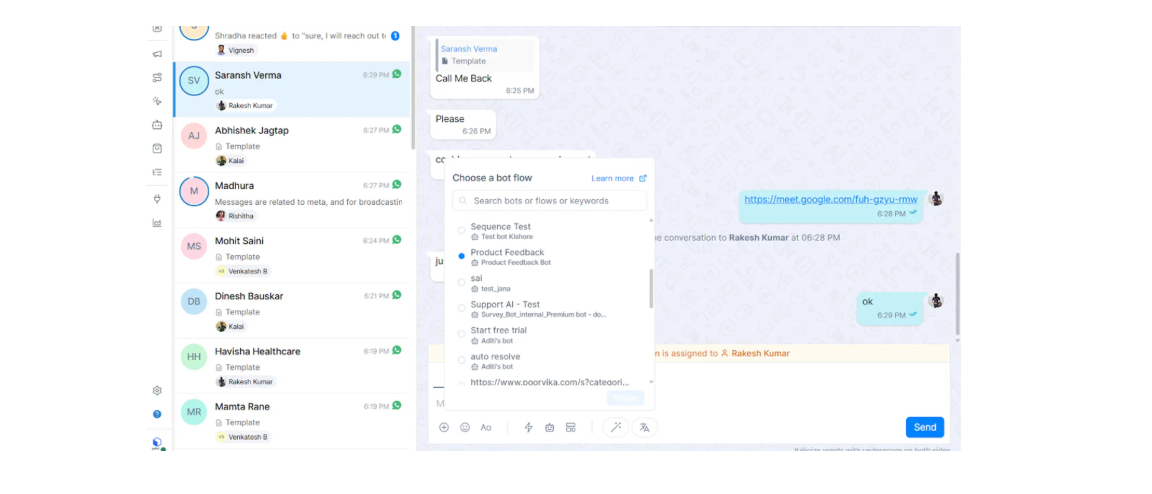
Gallabox offers versatile WhatsApp tools with strong analytics and integrations, suitable for industries like travel and healthcare.
- Key Features: WhatsApp flows, payments, chatbots, broadcasts, shared inbox, Gen AI for messaging, and integrations (e.g., Shopify, HubSpot).
- Pricing: Custom plans; contact for details.
- Pros: Customizable for specific sectors, powerful analytics, 24/7 inquiry handling.
- Cons: Feature-rich interface may overwhelm new users.
- Best For: Businesses requiring industry-tailored automation and ROI tracking.
5. Respond.io
Respond.io is an enterprise-grade WhatsApp CRM tool emphasizing multi-channel integration and advanced workflows.
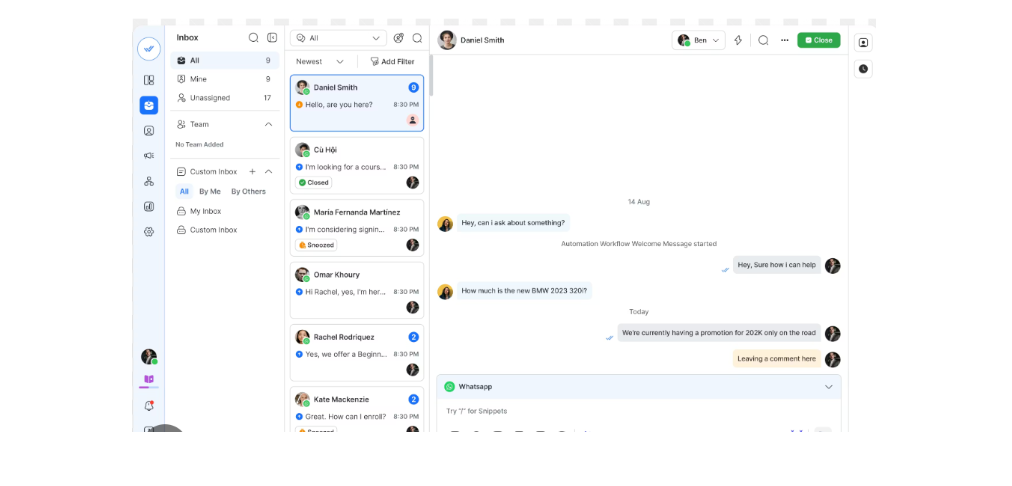
- Key Features: Unified inbox, AI automation, CRM syncing, broadcasts, and analytics for conversions.
- Pricing: From $64.99/month (Plus plan).
- Pros: Handles complex setups, great for sales and support, high scalability.
- Cons: Higher cost for small teams.
- Best For: Growing enterprises needing omnichannel capabilities.
6. Interakt
Interakt provides compliant, simple WhatsApp marketing tools for notifications and transactional messaging.
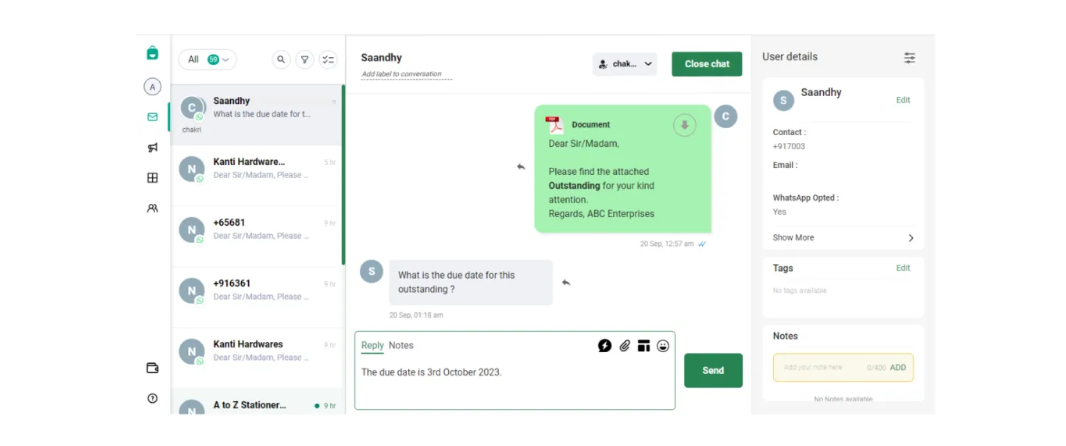
- Key Features: Automation workflows, CRM integration, payment reminders, analytics for ROAS.
- Pricing: Custom; free trial.
- Pros: Easy for SMBs, solid compliance, advanced stats.
- Cons: Limited third-party integrations.
- Best For: Service providers and SaaS companies starting with WhatsApp.
7. Zoko
Zoko is e-commerce-focused, with strong workflow automation and in-chat payments.
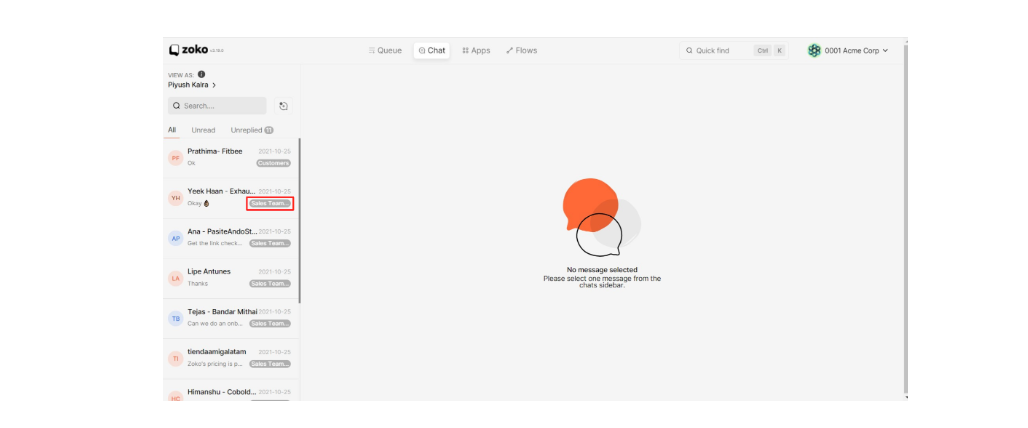
- Key Features: Drag-and-drop workflows, WhatsApp cart, payment integrations, customer insights.
- Pricing: Custom plans.
- Pros: ROI tracking, ideal for online stores.
- Cons: Steeper learning curve for non-e-commerce users.
- Best For: Shopify-integrated businesses.
8. Gupshup
Gupshup is an enterprise platform for automated campaigns and product showcases.
- Key Features: Marketing automation, catalogs, payments, ads integration.
- Pricing: Custom.
- Pros: Boosts CRM with templates, scalable for large teams.
- Cons: Less customization in basic plans.
- Best For: High-volume marketing operations.
9. Twilio WhatsApp API
Twilio offers flexible, developer-friendly WhatsApp API tools for custom builds.
- Key Features: Transactional and conversational messaging, contact center solutions, personalization.
- Pricing: Pay-as-you-go (e.g., per message).
- Pros: Highly customizable, versatile pricing.
- Cons: Complex for non-technical users.
- Best For: Enterprises needing extensive logic and scale.
10. 360dialog
360dialog focuses on lead generation and performance messaging.
- Key Features: Team inbox, bulk personalization, lead tracking, analytics for campaigns.
- Pricing: Custom.
- Pros: No-code API, real-time ROI data.
- Cons: Fewer features for large-scale needs.
- Best For: Businesses optimizing ads and conversions.
Comparison Table: All 10 WhatsApp Business Tools
| Tool | Key Strength | Pricing (Starting) | Integrations | Best For | G2 Rating |
| Chakra Chat | All-in-one engagement | $0 (free tier) | CRM, payments | Mid-sized teams | 4.8 |
| Wati | Support automation | $49/month | HubSpot | SMB support | 4.6 |
| AiSensy | Marketing broadcasts | $20/month | Limited | D2C startups | 4.4 |
| Gallabox | Industry customization | Custom | Shopify | Sector-specific | 4.7 |
| Respond.io | Multi-channel CRM | $64.99/month | Various | Enterprises | 4.5 |
| Interakt | Compliant notifications | Custom | CRM | Service providers | 4.3 |
| Zoko | E-commerce workflows | Custom | Shopify | Online stores | 4.5 |
| Gupshup | Campaign automation | Custom | Various | Large marketing teams | 4.4 |
| Twilio | Custom API builds | Pay-as-you-go | Extensive | Developers/enterprises | 4.6 |
| 360dialog | Lead generation | Custom | Meta APIs | Ad optimization | 4.2 |
TD;DR: Pick the Right WhatsApp Tool
The right WhatsApp Business tool in 2026 is the difference between a chaotic inbox and a revenue-generating customer channel. Here's the full picture:
Why you need an official API tool — WhatsApp is actively penalizing bulk messaging on the personal and Business apps; only Meta-verified BSP platforms are built for scale without ban risk
6 core benefits across all top tools:
98% open rates — highest engagement of any digital channel
24/7 automation — chatbots, broadcasts, and workflows running without your team
Shared team inbox — multiple agents, one number, zero dropped conversations
CRM & eCommerce integrations — Shopify, HubSpot, Zoho, and more
Compliance built-in — GDPR and Meta policy adherence out of the box
Analytics that matter — delivery rates, conversions, ROAS, all trackable
Top 10 tools at a glance:
Chakra Chat — best overall; free tier, coexistence (app + API on same number), no markup on Meta fees, native CRM, mobile app; from $0–$49.99/month
Wati — best for SMB support teams; beginner-friendly, HubSpot integration; from $49/month
AiSensy — best for D2C marketing broadcasts; free plan available; from $20/month
Gallabox — best for industry-specific automation (travel, healthcare); custom pricing
Respond.io — best for enterprise omnichannel sales + support; from $64.99/month
Interakt — clean, compliant choice for SaaS and service providers
Zoko — best for Shopify-native eCommerce workflows and in-chat payments
Gupshup — enterprise-grade campaign automation at high volume
Twilio — most flexible for developer-built custom API solutions; pay-as-you-go
360dialog — focused on lead gen and Meta ad performance tracking
How to pick the right one — 6-step framework:
Assess your primary use case — marketing, support, or sales? Tools are optimised differently
Check pricing structure — licence fee + Meta conversation fees; watch for markups
Verify integrations — must connect to your existing CRM or eCommerce stack
Demand no-code builders — chatbots and flows without dev dependency
Confirm Meta BSP status — non-negotiable for compliance and uptime
Test before committing — every top tool offers a free trial; use it
Bottom line: Don't pick a tool just for features — pick one that fits your team size, use case, and budget, and won't mark up your Meta fees. If you need to keep using your existing WhatsApp number across both the app and API, coexistence support is the feature that sets Chakra Chat apart from the rest.